
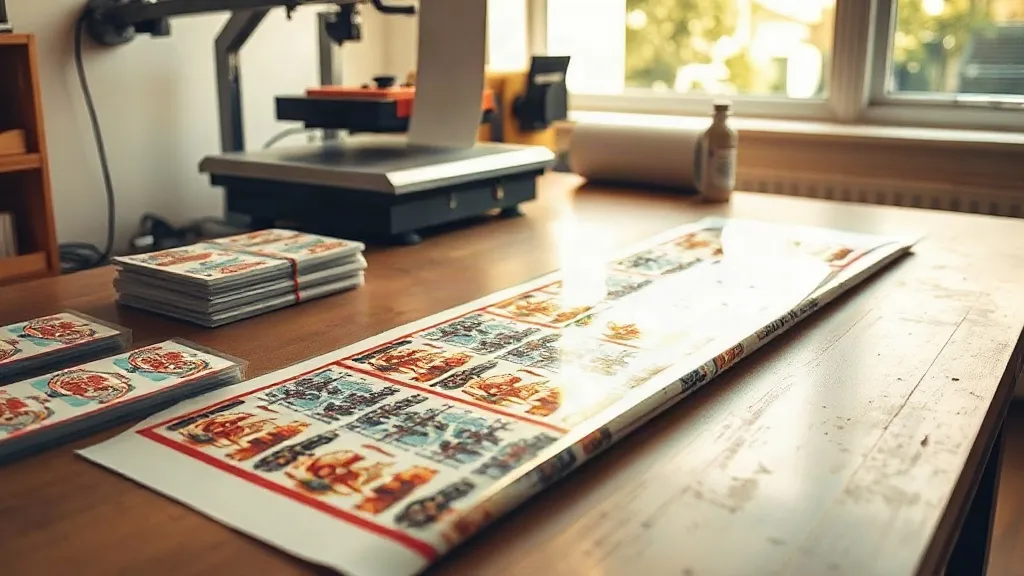
Walk into almost any small print or apparel shop today and you will hear the same complaint: single orders are getting smaller while customer expectations keep climbing. Someone wants three shirts for a family reunion, another needs a dozen hoodies with a logo front and a name on the back, and a third just wants one custom tote for a gift. Handling each of those as a separate print job is where margins quietly disappear. That is exactly the problem a DTF Gangsheet is built to solve, and understanding how to use one well can change the economics of a small shop.
This guide is not a sales pitch for a machine or a brand. It is a working overview of what gangsheets are, where they genuinely help, and where they can trip you up if you are not paying attention to layout, film usage, and pricing.
What a DTF Gangsheet Actually Is
Direct-to-film printing works by printing your artwork onto a special film, covering the wet ink with adhesive powder, curing it, and then pressing the finished transfer onto fabric with a heat press. A gangsheet is simply a large sheet of that film, usually 22 or 24 inches wide and anywhere from a foot to several feet long, onto which many separate designs are nested together in one print run.
The idea is not new. Screen printers have packed multiple jobs onto one screen for decades, and vinyl cutters have always benefited from nesting small shapes tightly. What makes DTF different is that the film, powder, and press time all cost real money per square inch, so the way you arrange artwork on the sheet has a direct effect on your cost per transfer.
How the workflow runs
In practice, the process looks like this:
- You collect all the designs you need to produce, along with their sizes and quantities.
- You nest them into a single file using your RIP software, leaving a small gap between designs so the powder does not bridge them.
- You print the sheet, powder it, shake off the excess, and cure it.
- You cut the individual transfers apart, either by hand, with a cutter, or on a plotter if your artwork includes cut lines.
- You press each transfer onto its garment when the order is ready to ship.
The savings come from steps one through three. Printing one long sheet instead of fifteen short ones means fewer setup cycles, less wasted film at the head and tail of each run, and a more consistent powder application across the whole batch.
When a Gangsheet Makes Sense and When It Does Not
Not every job benefits from batching. If a customer needs one shirt today, printing a full gangsheet for that single item is wasteful unless you have other work to fill the rest of the film. The technique pays off when you can group orders that share a deadline or a similar fabric type.
Good candidates for batching
- Team orders where every garment has a number or name plus a shared logo.
- Small business clients who reorder the same logo across different garment styles.
- Seasonal pushes like school spirit wear, where many small orders arrive in the same week.
- Sample packs and color tests, which can be nested alongside production work.
Poor candidates
Rush single-item orders, highly variable fabric types that need different press settings, and designs with very fine detail that need generous spacing all work against the gangsheet logic. If you have to leave half the film empty to avoid crowding a delicate design, you are not really saving anything.
The Layout Decisions That Decide Your Margin
Most of the money you save or lose with DTF gangsheets is decided before the printer ever starts. A few layout habits separate shops that profit from batching and shops that wonder why their film costs keep climbing.
Nest by size, not by order
It is tempting to lay out designs in the order they came in. Resist that. Sort by size first and fill the awkward leftover space with small items. A row of large back prints leaves triangular gaps that a handful of pocket logos or sleeve transfers can fill almost for free.
Respect the powder gap
Designs placed too close together let adhesive powder bridge the gap between them. When you shake the sheet, those bridges tear and leave ragged edges or bald spots on the transfer. A consistent gap of roughly a quarter inch is a reasonable starting point, and it is worth testing your own setup because powder behavior varies with humidity and mesh size.
Group by color intensity
Heavy ink coverage areas cure differently from light ones. If one corner of your sheet is a solid black block and another is a thin line drawing, you may need to adjust curing time or accept that one area is slightly undercured. Grouping similar ink loads together makes your curing settings more predictable.
Keep a reusable template
Shops that batch regularly eventually build standard templates: a 22 by 36 inch layout for common logo sizes, a 22 by 60 inch layout for team orders, and so on. Once you have those saved, dropping new artwork in becomes a five-minute task instead of a half-hour puzzle.
Film, Powder, and Press Time: Where the Costs Hide
New DTF users often focus on ink cost, but ink is rarely the biggest line item. Film and powder usually dominate, and press time is the hidden cost that eats into your capacity without showing up on an invoice.
Film is priced per running foot, so unused space at the end of a sheet is money thrown away. This is why gangsheets reward planning: a sheet that is 90 percent full costs almost the same to print as one that is 60 percent full, but produces far more sellable transfers.
Powder is similar. You pay for what you apply, and excess powder that gets shaken off is partly recoverable but never fully. Designs with large solid areas drink powder quickly, so a design that looks cheap in ink terms can be expensive in powder terms.
Press time is the one people forget. Every transfer needs a press cycle, and if your transfers are nested efficiently, you can often press two or three small items at once using a larger platen. A shop that plans its pressing alongside its printing will ship more orders in the same day than one that treats them as separate stages.
Pricing Transfers Without Guessing
If you sell transfers rather than finished garments, pricing is where most new shops get into trouble. The instinct is to price per design, but that ignores the fact that a large back print uses several times the film and powder of a small chest logo.
A more reliable approach is to build a simple cost model:
- Calculate your film cost per square inch based on what you actually pay per roll.
- Add an estimated powder cost per square inch, which you can refine after a few weeks of tracking.
- Add ink cost, which is usually small but not zero.
- Add a labor figure for layout, cutting, and pressing.
- Apply your margin on top of that total.
Once you have those numbers, you can quote a 3-inch logo and a 12-inch back print confidently, and you can explain to customers why size matters. That conversation is much easier when you have real figures behind it.
Common Mistakes That Undercut the Savings
Even experienced shops fall into a few habits that quietly erase the benefits of batching.
Printing before the order book is settled
Printing a gangsheet the moment a design arrives means you will likely print another one tomorrow for the next design. Waiting a day or two to accumulate work is often worth more than the speed you gain by printing immediately.
Ignoring fabric compatibility
DTF transfers work on cotton, blends, and polyester, but the press settings and the final feel differ. Mixing a 100 percent cotton job with a stretchy performance fabric on the same sheet is fine for printing, but you need to track which transfer goes on which garment so you press them correctly.
Overfilling the sheet
A sheet packed to the very edge often produces edge defects, and the last row is frequently the one you have to reprint. Leaving a small border is cheaper than redoing a job.
Frequently Asked Questions
How many designs can fit on a single DTF gangsheet?
It depends entirely on size. A sheet that fits two large back prints might hold twenty small chest logos in the leftover space. The practical limit is set by your gap requirements and how much edge margin you leave, not by a fixed count.
Can I mix different garment types on one gangsheet?
Yes, because the transfers are printed on film, not directly onto fabric. You do need to keep track of which transfer belongs to which garment so you apply the correct press temperature and time for each fabric during the pressing stage.
How long can I store printed DTF transfers before pressing them?
Stored flat, away from heat, moisture, and direct sunlight, transfers generally keep well for several months. Humidity is the main enemy, so a sealed container with a desiccant pack is a sensible habit for shops in damp climates.
Is a gangsheet worth it for very small orders?
Only if you can fill the rest of the sheet with other work. For a genuine one-off, printing a short sheet or sending the job to a transfer supplier is usually more economical than running a mostly empty gangsheet through your own printer.
Do I need special software to build a gangsheet layout?
Most RIP software that ships with DTF printers includes nesting tools, and many shops also use general design software to arrange artwork before sending it to the RIP. Either works; what matters is that the final file respects your gap and margin rules.
The Takeaway
Batching DTF work is less about the printer and more about discipline. Shops that plan their layouts, track their real film and powder costs, and price by size rather than by design tend to find that small orders become profitable instead of a chore. Shops that print reactively, one job at a time, end up with the same equipment and noticeably thinner margins. The gap between those two outcomes is mostly a matter of a few habits applied consistently.