
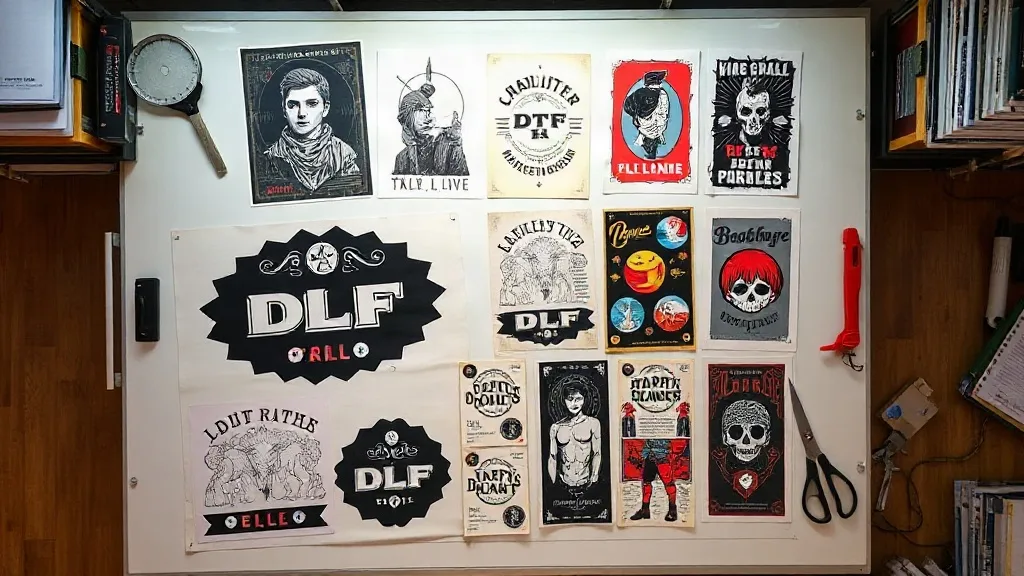
When I first started my print shop, I was printing every order individually, carefully arranging each design on a separate sheet. It felt safe, but my profit margins told a different story. Waste was high, turnaround was slow, and I was constantly behind. Then a fellow shop owner showed me his setup: a single DTF Gangsheet packed with dozens of designs, all printed in one pass. That moment changed how I run my business. In this guide, I'll share what I've learned about gang sheets, from planning to production, so you can stop leaving money on the table.
What Is a DTF Gangsheet and Why Should You Care?
A DTF Gangsheet is essentially a large sheet where multiple designs are arranged together and printed in one go. Instead of printing each job separately, you consolidate everything onto a single film. The benefits are immediate: you save on film, ink, and powder, and you drastically reduce setup time. For a small shop like mine, the savings added up to hundreds of dollars per month.
But it's not just about cost. Gang sheets also improve consistency. When you print a batch of the same design for a bulk order, having them all on one sheet ensures they come out identical. No more slight variations in color or placement that can happen when you print individually.
The Economics of Gang Sheets
Let's break down the numbers. A standard DTF film sheet costs a few dollars, and the powder and ink add to that. If you print 20 small designs individually, you're using 20 sheets. On a gang sheet, you might fit all 20 on two or three sheets. That's a massive reduction in material costs. Plus, your printer runs less, which means less wear and tear and lower electricity bills. I calculated that my material costs dropped by about 40% after switching to gang sheets for bulk orders.
How to Plan a DTF Gangsheet for Maximum Efficiency
Planning is everything. You can't just throw designs onto a sheet and hope for the best. You need to consider size, spacing, and the order in which you'll cut them. Here's my process:
- Group by job or customer: If you have multiple orders for the same customer, try to put them on the same sheet. This simplifies packing and shipping.
- Nest designs tightly: Use your design software to arrange shapes so they fit together like puzzle pieces. Rotate designs if necessary to fill gaps.
- Leave a small gap: You need enough space to cut around each design. I usually leave about 0.25 inches between designs.
- Consider the grain: If you're printing on fabric with a directional grain, make sure your designs are oriented correctly.
I also keep a library of common sizes (like left chest, full front, sleeve) so I can quickly fill a sheet. Over time, you'll develop a sense for how many of each size fit on a standard sheet.
Using Software to Automate Layout
There are tools that can auto-nest designs for you. I use a simple RIP software that has a nesting feature, but you can also do it manually in Illustrator or CorelDRAW. The key is to minimize empty space. I've seen shops waste almost half a sheet because they didn't take the time to arrange properly. Don't be that shop.
Common Mistakes to Avoid with DTF Gangsheets
Even experienced printers make mistakes. Here are the ones I see most often, and how to avoid them:
- Overcrowding: Trying to fit too many designs can lead to cutting errors and wasted material. Leave breathing room.
- Ignoring the print direction: DTF prints are directional; if you place a design upside down, it's ruined. Double-check orientation.
- Not accounting for shrinkage: Some fabrics shrink after washing, so if you're printing for a specific size, consider that.
- Using the wrong film: Not all films are created equal. Use a film that's designed for your printer and ink.
I learned the hard way about overcrowding. I once tried to squeeze an extra row of logos onto a sheet, and the cuts were so tight that the transfers curled at the edges. I had to reprint the entire order. Now I always leave a margin.
Maximizing Profit with DTF Gangsheets
Gang sheets are a profit multiplier. By reducing waste, you lower your cost per print. But you can also use them to offer new services. For example, I started offering "transfer packs" to local crafters: a sheet with a variety of small designs they can use for their own projects. It's a low-effort upsell that brings in extra revenue.
Another strategy is to gang print popular designs in bulk and keep them in stock. When a customer orders a single shirt, you already have the transfer ready to press. This speeds up turnaround and makes you look like a hero. Just be careful not to overstock designs that might go out of style.
Pricing Your Gangsheet Jobs
When pricing, don't just mark up the material cost. Consider your time for layout and cutting. I charge a flat fee per sheet that includes the first 10 designs, then a small per-design fee after that. This covers my labor and ensures I'm not losing money on complex layouts. Communicate this clearly to customers so there are no surprises.
DTF Gangsheet for Specialty Fabrics and Applications
One of the beauties of DTF is that it works on almost any fabric, including cotton, polyester, blends, and even some nylons. But when you're printing a gang sheet, you need to consider the end use. If the transfers will go on stretchy fabrics, you might need a different powder or film. I keep separate gang sheets for different fabric types to avoid confusion.
Also, think about the design itself. Fine details and small text might not hold up as well on certain fabrics. I always do a test press before committing a large gang sheet to a new fabric.
Frequently Asked Questions About DTF Gangsheets
How many designs can I fit on one DTF Gangsheet?
It depends on the size of the designs and the sheet size. A standard 13x19 inch sheet can hold about 20 to 30 small left-chest logos, or 4 to 6 full-front designs. With careful nesting, you can maximize the count.
Can I mix different designs on the same gangsheet?
Absolutely. That's the whole point. Just make sure they are all going to be printed with the same settings and on the same type of film. Mixing designs for different fabric types might require separate sheets.
What's the best way to cut a DTF Gangsheet?
Use a sharp pair of scissors or a rotary cutter. I prefer a rotary cutter with a straight edge for clean lines. Cut about 1/8 inch away from the design to avoid cutting into the ink. For intricate designs, a small pair of curved scissors helps.
How do I store unused transfers from a gangsheet?
Keep them in a cool, dry place away from direct sunlight. I store mine in a binder with plastic sleeves, sorted by design. They can last for months if stored properly.
Is it worth investing in a larger format printer for gangsheets?
If you're doing high volume, yes. A larger printer allows you to print wider sheets, which means more designs per run. But start with what you have; even a standard printer can produce gang sheets with good planning.
Switching to gang sheets was one of the best decisions I made for my shop. It took some trial and error, but the savings and efficiency gains are undeniable. If you're not using them yet, start small. Plan a sheet with a few designs, see how it goes, and scale up. Your bottom line will thank you.